Filtering the Service Hierarchy
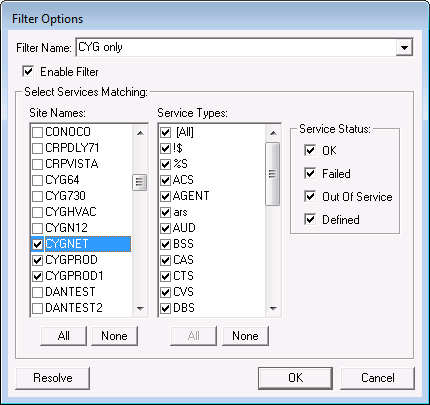
You can filter the services listed in the service hierarchy. The filter options are site name, service types, and service status. Any combination of these options can be used.
To Filter Services
- Click in the service hierarchy.
- Click View > Filter > Add Filter or right-click Filter > New or click Add Filter (
 ).
). - Click Enable Filter.
- Select the Site Names or Service Types or Service Status you want to view. Use All or None to aid in selection.
- Give the filter a name.
- Click OK.
- To edit an existing filter, select the filter from the drop-down menu, and click Edit Filter (
 ) to view the Filter Options dialog box.
 - To delete an existing filter, select the filter from the drop-down menu, and click Delete Filter (
 ).
). - The saved filters can be selected from the drop-down menu.
Note: Each set of filters is specific to each user and CygNet domain.
|
Filter Options |